Amazingly realistic drawing editor for creative minds
Artist often complain about virtual design software apps and their inability to resemble real-life tools and provide them with the same sensations.
Well, that's probably because they don't know about Artweaver. This impressive image editor and drawing tool includes a wide array of painting tools that really look like the real thing: acrylics paint like real acrylics, airbrushes work as if they were real airbrushes, and so on with pencils, crayons, oils and a lot more.
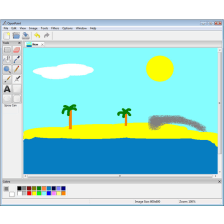
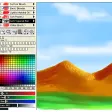
Like I said Artweaver is both a photo editor and a drawing application. As an editor, it supports layers, includes a varied menu of filters and effects, and enables you to undo and redo actions at any time, like in Photoshop. In fact, those of you who are already familiar with the Adobe editor will be happy to know that Artweaver uses many of Photoshop's keyboard shortcuts.
As a drawing tool, Artweaver offers a very varied set of tools, perfect for different creations. Plus you can configure and tweak each one of them to suit your needs, and save those tweaked brushes as "variants" for later use. You'll be amazed at how natural and realistic these tools feel, though the effect is obviously even better if you have a graphics tablet.
Artweaver works with the most popular graphic formats, including PNG, PDF and PSD. And if you feel lost at any point, don't worry: the program is thoroughly documented.
With Artweaver you can not only edit your favourite photos with filters and effects, but also create amazing drawings with real life-like tools.














User reviews about Portable Artweaver
Have you tried Portable Artweaver? Be the first to leave your opinion!